Historical PPG Records: Evolution of Scoring in Basketball

Historical PPG Records: Evolution of Scoring in Basketball
From Peach Baskets to 50-Point Averages | The Complete History I’ll never forget the moment I realized basketball scoring has completely transformed over time. I was showing my dad (who played in the ’80s) a highlight reel of modern NBA games. After watching Luka Dončić casually pull up from 30 feet for the fifth time in a quarter, my dad turned to me and said: “In my day, that shot would’ve gotten you benched. Forever.” That comment sent me down a rabbit hole. I spent weeks researching how scoring in basketball has evolved from the 1940s to today, and what I discovered was mind-blowing. The PPG records aren’t just numbers—they’re artifacts of different eras, different rules, different philosophies. A 30 PPG season in 1962 is completely different from a 30 PPG season in 2024. Let me take you through the entire evolution of scoring in basketball, era by era, with the records that defined each period and the context that made them possible. The Pre-Shot Clock Era (1946-1954): When Scoring Was… Weird The Scoring Environment Before 1954, there was no shot clock. Teams could hold the ball indefinitely. And they did. The result? Games ended with scores like 19-18. Seriously. Lowest Scoring Game in NBA History:Fort Wayne Pistons 19, Minneapolis Lakers 18 (November 22, 1950) That’s 37 total points. In 48 minutes. My nephew’s middle school team scores more than that. The PPG Leaders (Such As They Were) 1946-47: Joe Fulks – 23.2 PPG1947-48: Max Zaslofsky – 21.0 PPG1948-49: George Mikan – 28.3 PPG1949-50: George Mikan – 27.4 PPG1950-51: George Mikan – 28.4 PPG George Mikan was so dominant that the league literally changed rules to slow him down (widening the lane from 6 feet to 12 feet). What Made This Era Unique No shot clock = Stall ball was a legitimate strategyRough defense = Physicality that would be flagrant fouls todayNo three-point line = Every shot was worth 2 pointsSlower pace = Teams averaged 75-80 possessions per game Context: Mikan’s 28.4 PPG in 1950-51 was in a league where the average team scored just 81.0 points per game. He was scoring 35% of his team’s points. The Revolution: The Shot Clock Era Begins (1954-1960) The 1954 Shot Clock Rule On April 22, 1954, the NBA introduced the 24-second shot clock. This single rule change transformed basketball forever. Immediate Impact: The PPG Explosion 1954-55: Neil Johnston – 22.7 PPG (first shot clock season)1955-56: Bob Pettit – 25.7 PPG1956-57: Paul Arizin – 25.6 PPG1957-58: George Yardley – 27.8 PPG1958-59: Bob Pettit – 29.2 PPG (first player to average 29+ in the shot clock era) Historical Footnote: George Yardley’s 27.8 PPG in 1957-58 was the first 2,000-point season (2,001 points in 72 games). What Changed The shot clock forced teams to shoot, which meant: Think about it: Before the shot clock, a team could score 20 points and hold the ball the rest of the game. After the shot clock, you had to keep playing. The Wilt Era (1960-1973): When Scoring Records Became Untouchable This is where basketball history gets absolutely insane. Wilt Chamberlain’s Unbreakable Records 1959-60 (Rookie Season): 37.6 PPG1960-61: 38.4 PPG1961-62: 50.4 PPG (Yes. FIFTY.)1962-63: 44.8 PPG1963-64: 36.9 PPG1964-65: 34.7 PPG Let me emphasize this: Wilt Chamberlain averaged 50.4 points per game for an entire season. The 100-Point Game March 2, 1962: Wilt scores 100 points in a single game. The Box Score:36 FGM on 63 FGA (57.1%)28 FTM on 32 FTA (87.5%)Final Score: Warriors 169, Knicks 147 Nobody was even close to this. The second-highest individual game that season was 73 points (by Wilt, in a different game). Why Wilt’s Records Are Misleading (But Still Incredible) Let me explain why Wilt’s numbers happened in this specific era: 1. Pace of Play Was Insane 1961-62 season average: 126.2 possessions per game2023-24 season average: 99.8 possessions per game Teams were getting 25+ more shot attempts per game in Wilt’s era. More possessions = more scoring opportunities. 2. No Hand-Checking Rules Defense in the ’60s was physical but disorganized. Double-teaming was less sophisticated. Help defense wasn’t a system—it was an afterthought. 3. Fewer Teams = Diluted Talent In 1961-62, there were only 9 NBA teams. Today there are 30. The talent pool is much deeper now, making dominance harder. 4. Minutes Played Wilt averaged 48.5 minutes per game in 1961-62. That’s literally impossible (games are 48 minutes), but he played every minute of regular time and all overtime periods. Modern stars play 34-38 minutes per game. But Here’s Why Wilt’s Records Still Matter Even adjusting for pace, Wilt’s 50.4 PPG translates to roughly 39-40 PPG in today’s game. That would still be: So yes, context matters. But Wilt was genuinely otherworldly. Other Scoring Legends of This Era Elgin Baylor:Peak: 38.3 PPG (1961-62)Career: 27.4 PPG Oscar Robertson:Peak: 31.5 PPG (1963-64) while averaging a triple-doubleCareer: 25.7 PPG Jerry West:Peak: 31.2 PPG (1965-66)Career: 27.0 PPG This era had multiple players routinely averaging 30+. It was the golden age of pure scorers. The Slowdown Era (1973-1984): Defense and Physicality What Changed 1. The ABA Merger (1976) The ABA brought in more talent but also more defensive-minded players. Competition got tougher. 2. Physicality Increased The “Bad Boy Pistons” style started here. Hand-checking was not only allowed—it was encouraged. 3. Pace Slowed Down Average possessions dropped from 110+ in the ’60s to about 100-105 in the ’70s. The PPG Leaders (Still Impressive) 1972-73: Nate Archibald – 34.0 PPG1973-74: Bob McAdoo – 30.6 PPG1974-75: Bob McAdoo – 34.5 PPG1975-76: Bob McAdoo – 31.1 PPG1976-77: Pete Maravich – 31.1 PPG1977-78: George Gervin – 27.2 PPG 1978-79 through 1983-84: George Gervin won the scoring title 4 times, David Thompson once, Adrian Dantley twice. The Decline in PPG Notice how the scoring titles dropped from 38-50 PPG in the ’60s to 27-34 PPG in the ’70s? This wasn’t because players got worse. It’s because: The Pistol: Pete Maravich Pete deserves special mention. His 31.1 PPG in 1976-77 came without a three-point line. When you retroactively add three-pointers to his shots (many … Read more
How I Tracked My Entire Basketball Season Using a PPG Calculator (And Why You Should Too)

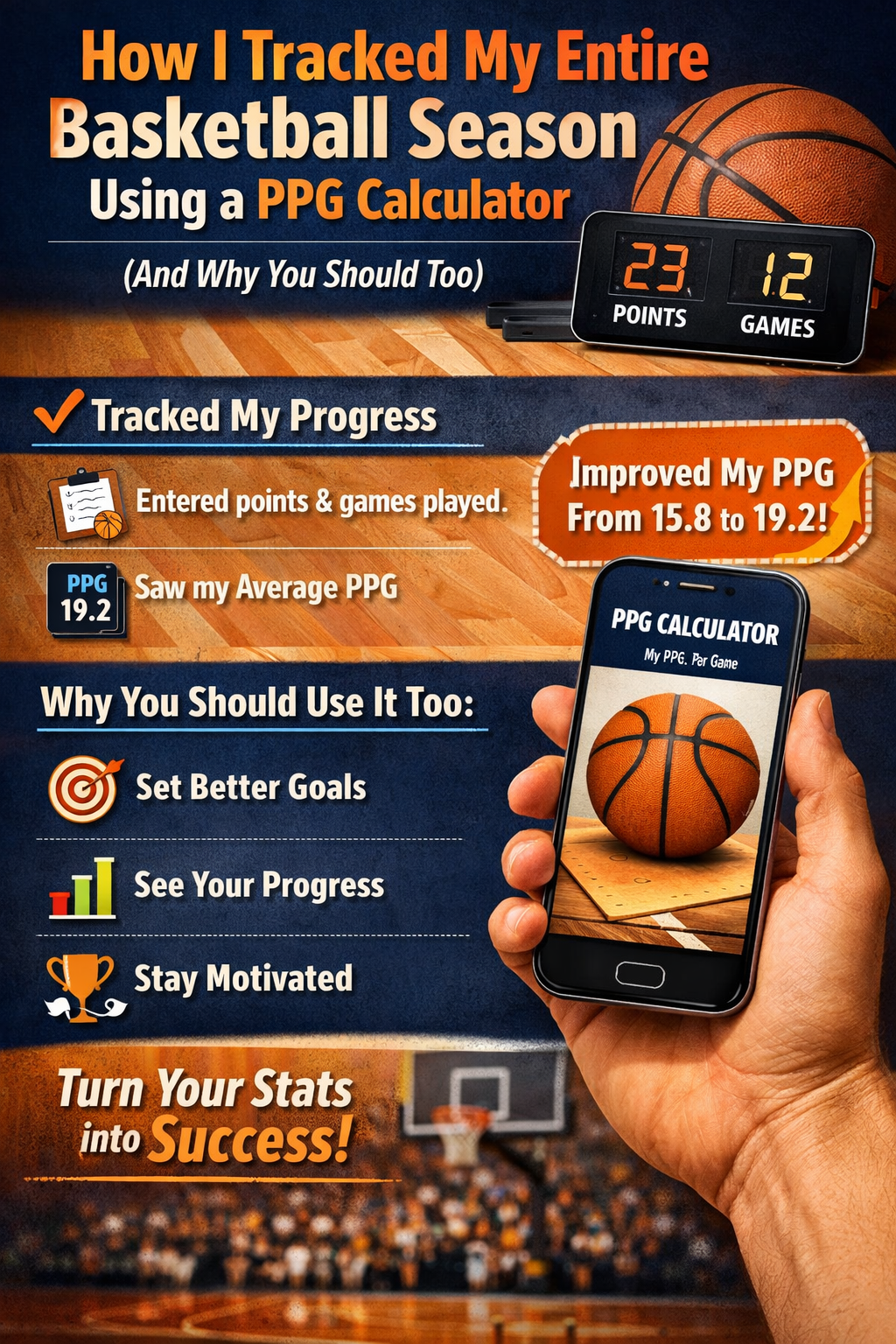
How I Tracked My Entire Basketball Season Using a PPG Calculator (And Why You Should Too)

I never thought I’d become that guy—you know, the one obsessively tracking basketball stats on their phone during halftime, creating spreadsheets at 11 PM after games, and texting screenshots to teammates with analysis nobody asked for. But here I am, three months into my rec league season, and honestly? This might be the best thing I’ve done for my game in years. Let me tell you the story of how a simple PPG calculator changed the way I approach basketball, and more importantly, how it helped me actually get better instead of just thinking I was getting better. The Wake-Up Call (Week 1) It started with trash talk, as most good stories do. We’d just finished our second game of the season. I dropped 28 points—my highest in years—and I was feeling myself. In the group chat, I declared I was “easily averaging 25+ this season.” My buddy Chris, who has a memory like a steel trap and the personality of a fact-checker, immediately called me out: “Bro you scored 16 in the first game. That’s 22 PPG. Not 25.” I was convinced he was wrong. I pulled up my mental notes (which, let’s be honest, are wildly unreliable), and realized… I had no idea. I genuinely couldn’t remember my game one score with certainty. That’s when it hit me: If I’m serious about improving, I need actual data. Not vibes. Not “I felt like I had a good game.” Real numbers. Setting Up My Tracking System (Week 1, Take Two) That night, I did what any self-respecting millennial would do: I fell down a rabbit hole of basketball stat tracking. I looked at apps (too complicated), considered buying a stats journal (who uses paper anymore?), and almost signed up for a paid analytics platform (way too expensive for a rec league player in his 30s). Then I found a simple PPG calculator online and had an epiphany: I don’t need all the bells and whistles. I just need to track the basics consistently. Here’s the dead-simple system I created: My Tracking Tools 1. Google Keep Note (For Game-Day Tracking) 2. Google Sheets (For Season Overview) 3. PPG Calculator (For Quick Checks) What I Track (And Why) I started simple and only added complexity when I noticed patterns: Must-Track Stats: Nice-to-Have Stats (Added Later): Don’t-Bother Stats: The First Month: Reality Hits Different Game 3 (Week 2): The Efficiency Check 19 points on 24 shot attempts. I calculated my PPG: 21 PPG through 3 games. Not bad! But when I looked at the shooting percentage (19/24 = 79%… wait, that can’t be right. I meant 19 points on 24 attempts, not 19 made shots), I realized I shot something like 8-for-24. That’s 33% shooting. Ouch. This is where the tracking got real. I was getting my points, but I was also taking a TON of shots to get there. My teammates didn’t say anything (they’re nice like that), but the data didn’t lie. Lesson learned: PPG without context is meaningless. I added “FG Attempts” to my tracking that night. Game 5 (Week 3): The Consistency Problem Here’s what my first five games looked like: Current PPG: 21.0 See the problem? I was a rollercoaster. One game I’m Steph Curry, next game I’m a bench warmer having an off night. I started adding notes after each game: Patterns started emerging. My bad games weren’t random—they happened after stressful work weeks or when I skipped my pre-game warmup. Lesson learned: Consistency matters more than ceiling. I’d rather be steady at 18 PPG than swing between 12 and 30. Mid-Season: Making Adjustments (Weeks 6-10) By week 6, I had enough data to actually make changes. This is where tracking became coaching. Discovery #1: First Quarter Struggles I noticed something weird: I averaged just 2.8 points in first quarters, but 6.4 points in third quarters. Why? I reviewed my notes: “Cold start, forcing shots, trying to do too much early.” The fix: I stopped trying to score in the first 5 minutes. Instead, I focused on defense and passing, let the game come to me, and started attacking in the second quarter once I found my rhythm. Result? My PPG actually went up because I took better shots. Discovery #2: The Home Court Advantage Check this out: That’s a 7-point difference! At first, I thought it was competition level, but the teams were similar. Then I realized: Our home court has a different depth perception. The rims are slightly older, the lighting is brighter, and I’m just more comfortable there because we practice on that court. The fix: I started showing up 20 minutes early to away games to get shots up and adjust to the rim. Discovery #3: The “Hero Ball” Trap Here’s an embarrassing one. In games where we were losing at halftime, my scoring average was 26.4 PPG. In games we were winning? Just 18.7 PPG. My initial thought: “I’m clutch! I step up when my team needs me!” Chris’s observation (because he’s insufferable): “Or you’re shooting us out of close games and getting carried in blowouts.” I checked the win/loss record. We were 3-4 in games where I scored 25+ points, but 6-2 in games where I scored 18-22 points. Turns out, when I try to “take over,” I jack up bad shots and disrupt our flow. When I play within the offense, we win. The fix: I set a personal rule: No more than 15 shot attempts per game unless we’re down double digits in the 4th quarter. If I’m scoring efficiently, great. If not, I pass more. This was the hardest adjustment because it meant sacrificing PPG for wins. But that’s the point, right? The Excel Spreadsheet That Changed Everything Around week 8, I got bored one Sunday and built out my tracking spreadsheet into something actually useful. Here’s what I included: The Dashboard (Overview Tab) Current Season Stats: Trend Indicators: Game Log (Detail Tab) Date Opponent PTS FGA FG% MIN PPG Notes 10/15 Ballers 16 18 44% … Read more

Simple Formulas to Measure Fitness Progress

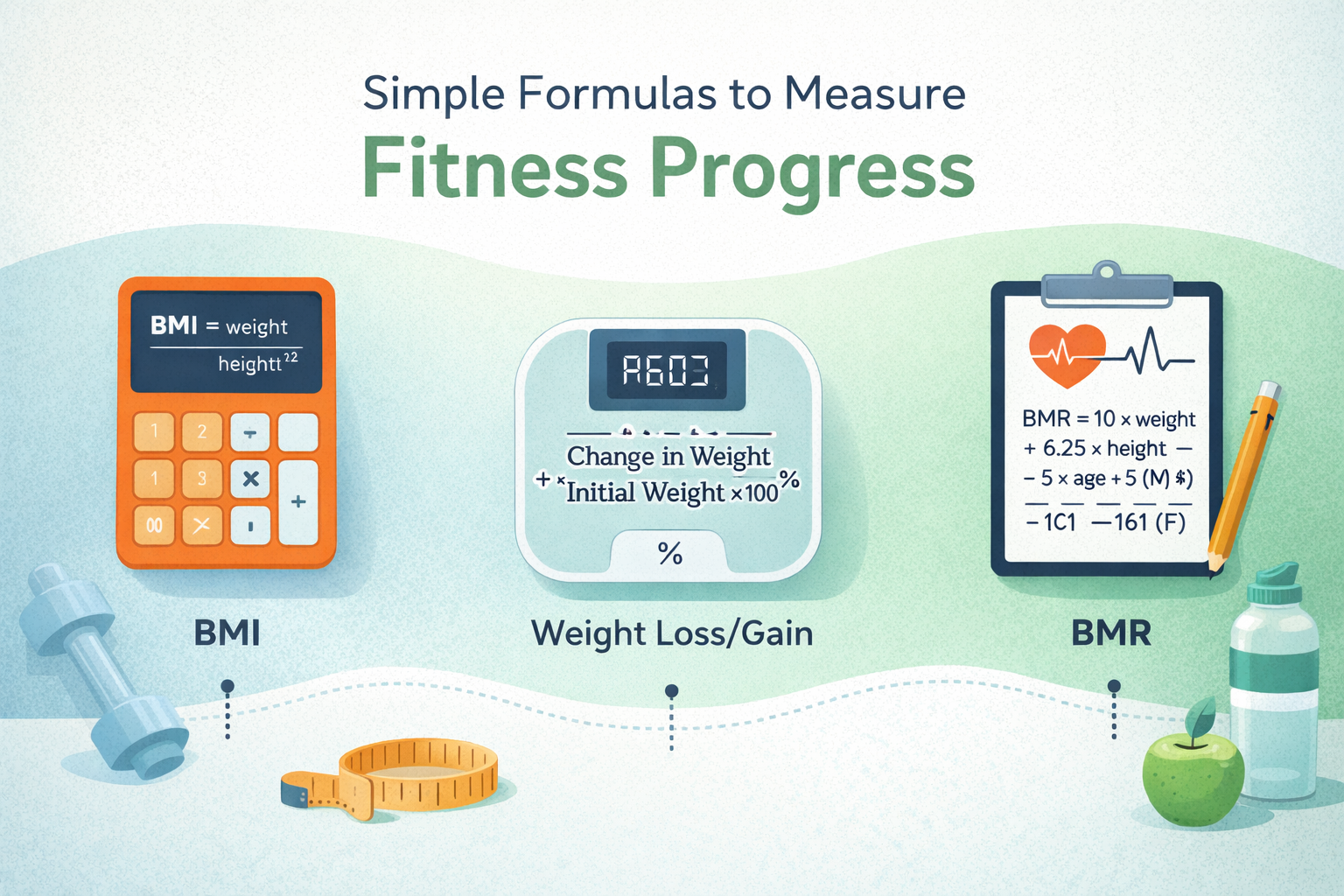
Simple Formulas to Measure Fitness Progress

Starting a fitness journey can feel confusing and overwhelming, but a simple, consistent approach helps you measure real improvements and results. As a personal trainer, I learned that using Key Performance Indicators (KPIs) gives clear insights into health and helps you stay on track with your goals.  Just tracking measurable metrics like Body Fat Percentage (balance of fat and lean tissue), Body Mass Index (BMI) for a quick snapshot of weight relative height,  and Waist Size to Monitor abdominal trends gives you a strong starting point. Once you Get started, you can adjust your workouts, stick to a workout plan, and celebrate small wins. I always Assess joint flexibility and mobility using Range of Motion (ROM) to reduce injury risk and improve Movement Quality and proper form. Strength Progress through lifting, resistance training,  Cardio Fitness Level, endurance, VO₂ Max, heart rate zones, and a lower Resting Heart Rate (RHR) indicates better performance and keeps you motivated to achieve more.  With Rest, Recovery, sleep, energy, and muscle recovery, you’ll know where you fit, be sure you see your own starting point, gain a good idea of progress, and start today to effectively measure your fitness journey using the tests below. How to Use BMI in Your Fitness Plan? When I first learned about BMI, I realized it isn’t just a number—it’s a helpful guide to decide how to tweak my approach.  If your BMI is Increasing, it may signal a need to Check your calorie intake, be more mindful of portion sizes, and Focus your meals on better choices.  To boost endurance and burn more energy, you can Incorporate HIIT (High-Intensity Interval Training) or other higher-intensity cardio workouts into your routine. These changes don’t need to be extreme—just Keep track and let Tracking small changes guide you in the right direction. If you want Decreasing BMI, Ensure you’re still eating enough protein and Include strength training exercises to build muscle.  That’s how you Maintain a balanced body, even while losing fat. I often help clients adjust their meals, approach, or workout style based on BMI because it shows clear patterns over time.  As long as you Incorporate movement, Keep track of your progress, and Include both cardio and strength work, your plan becomes easier to tweak, follow, and grow stronger with. This method helped me decide when to push harder—and when to rest. check our bicycle calorie calculator

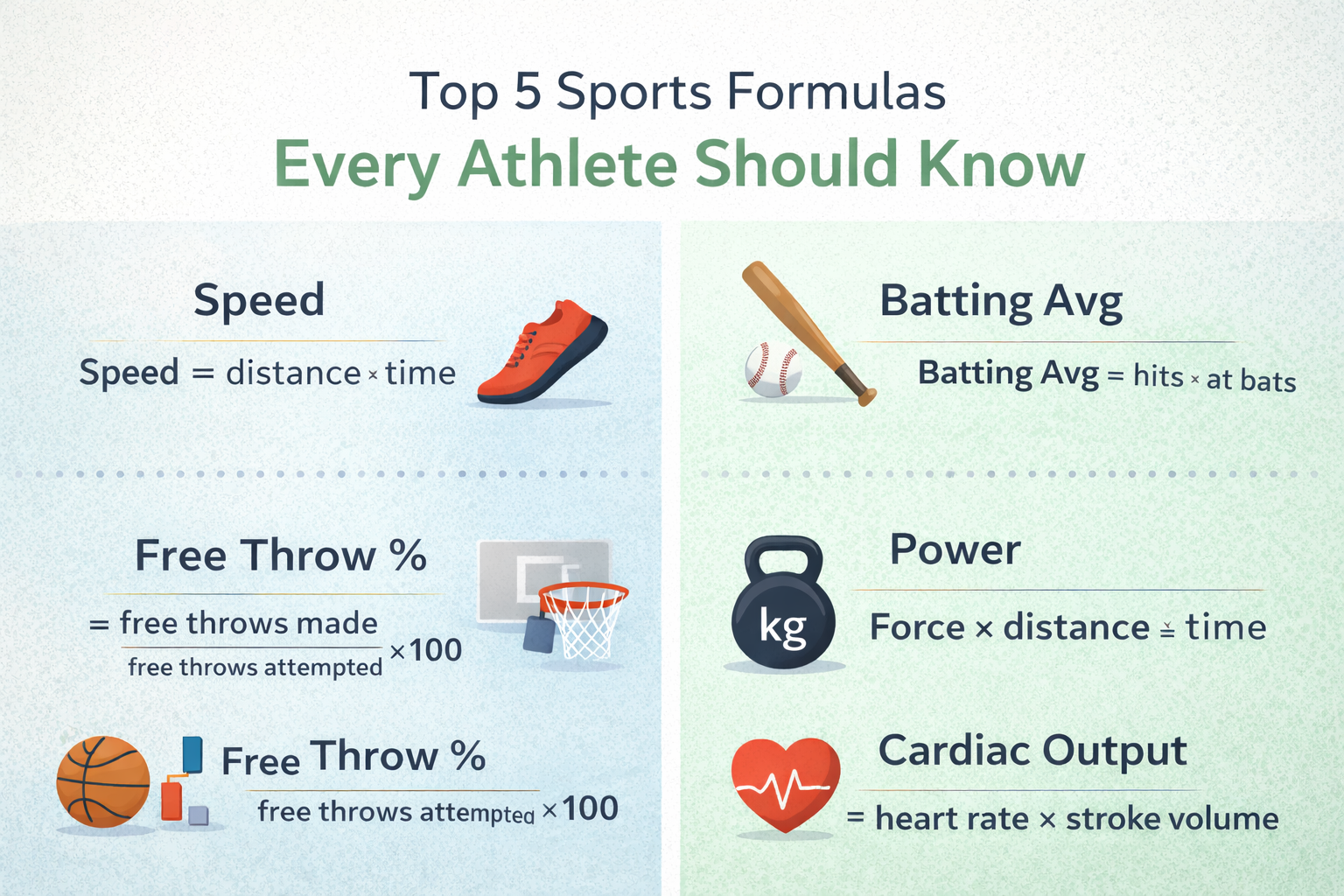
Top 5 Sports Formulas Every Athlete Should Know.

Top 5 Sports Formulas Every Athlete Should Know.

Many athletes, whether professional or semi-pro, focus on staying active, but I learned through experience that proper nutrition, supplementation, and a well-balanced diet are essential for optimizing performance, recovery, and overall health.  I once wondered if food alone could meet all nutritional needs, but when trying to run faster, lift, and gain an edge in competition, I realized the key is hitting .8 grams of protein per day for each pound of body weight.  Eating enough steak, eggs, and meal portions can require high cholesterol, sodium, and too much prep and cooking, so a lean shake between meals offers the optimal amount without adding unnecessary calories or fat. That’s where dietary supplement strategies come in—Creatine, whey protein, beta-alanine, electrolytes, fish oil, vitamin D, even water lost in sweat, all provide additional nutrients that help advance goals.  With thousands of options flooding the market, it’s easy to feel overwhelmed or skeptical, especially since not all are created equal.  But scientific research and decades of solid science show true muscle-boosting and endurance-enhancing powers behind trusted Vitamin Brands—not magic, but effective, safest, and smartest choices many experts and world’s decorated elite swear by.  This guide breaks down the top 10 supplements 2025 athletes can incorporate to fuel training, avoid banned substances, decode confusing labels, and leverage insider tips for a personalized boost.  If you’re looking to push further, harder, and constantly on the lookout for a simple way to enhance your work, unlock peak results, get the stuff, and truly give your routine that extra edge, then dive in—because supplementing with shakes, pills, and structure is especially useful when nutrients are naturally produced in high quantities, yet lost easily. ⚡️ Smart Insider Tips & Facts. In my early days of training, I believed a Magic Pill or single supplement could turn me into a superstar overnight, but real progress came only through Consistent effort, rest, and a solid foundation of nutrition. Think of supplements as a complement, not a replace solution — they work best when your body already has the basics. From experience, Creatine and Caffeine are two of the most researched, consistently effective performance enhancers that support a wide range of athletic activities, while Hydration truly is King.  Even mild dehydration of just 1-2% loss of body water can seriously hamper your performance, so Electrolytes become your best friend on tough days and intense game sessions. But the real Key to results is Personalization — every athlete is different, and Responses can vary depending on genetics, gut microbiome health, and daily nutritional intake.  Your favorite pre-workout might not work for your teammate. Safety First, Always — the supplement industry sometimes acts like the Wild West, so look for third-party testing seals like NSF Certified for Sport or Informed-Sport to ensure the label is free from banned substances.  Think like a Young Grasshopper and practice Patience — Beta-Alanine needs a loading phase and must be taken consistently for weeks to build up in your system before results show effects.  And when it comes to Protein, the Power, the Repair, whether from whey or plants, adequate protein intake is crucial for muscle repair, growth, and to pack on size. A full guide titled Top 10, Most Popular Supplements, Building Muscle, 2025, Revealed could change how you approach performance forever. check our bicycle calorie calculator

Power To Weight Ratio Calculator

Power To Weight Ratio Calculator ⚡ Power To Weight Calculator Professional vehicle performance analysis tool with precision calculations 🔧 Calculator ⚡ Power Output kWHPPS ⚖️ Total Weight kglbton 🚀 Calculate Ratio ↻ 📊 Result Power-to-Weight Ratio 0.0000 kW/kg 📋 Copy Result 💡 Understanding Power-to-Weight Ratio The power-to-weight ratio is a critical performance metric that determines how efficiently a vehicle converts its power into motion. A higher ratio typically means better acceleration and overall performance capabilities. 📐 Formula Power ÷ Weight = Performance 📏 Standard Units • kW/kg – Kilowatts per kilogram • hp/lb – Horsepower per pound • PS/kg – Metric horsepower per kg 🎯 Performance Categories High Ratio Superior acceleration Medium Ratio Balanced performance Low Ratio Efficiency focused Why Power-to-Weight Ratio Affects Your Workout Results I first encountered the term power-to-weight ratio while chatting during a post-ride cafecito at a local coffee shop, where cyclists, Elite runners, and other athletes frequently reference it as a crucial metric.  Many assume that a higher FTP means a stronger cyclist, especially when rider reports FTP, 160, 240 type numbers.  But one important detail is often missing — weight. Without it, you’re only looking at power alone, not truly optimizing your running performance or chasing peak performance. Through a deep dive into the science, I began to explore how this metric matters, enabling everyday athletes to enhance training, run faster, run longer, and even run smarter.  Using data and practical tips, I learned that striving without balance won’t improve much.  This favorite topic among many athletes and cyclists helped me see that power-to-weight ratio is not just theory — it’s a smart way of optimizing running, unlocking real results for any group that takes fitness seriously. What is power-to-weight ratio? The power-to-weight ratio is a way to understand how much power your muscles can produce compared to your body weight.  It shows the rate at which you generate force to propel your body forward against gravity, and it works in running, stride, lifting, or on the bike.  The Formula is simple: Power Output (watts) ÷ Body Weight (kg). This reflection of an athlete’s ability to generate power is a helpful tool to track performance gains over time. It’s an essential standardized measure that lets you compare abilities between riders of different weight, experience, or gender.  A higher power output doesn’t mean much unless it is relative to total body mass, because the goal is to move more efficiently rather than just push big numbers. I learned this while reading Joe Friel, Coach, and co-founder of Training Peaks, who has written extensively on this topic in his book, The Triathlete’s Training Bible, analyzing power for a given duration using kilograms and w/kg.  Friel explained that commonly used terms like functional threshold power, FTP, became more popular with indoor cycling platforms such as Zwift, Rouvy, and Trainer Road, where cyclists are already familiar with seeing watts/kg listed beside their name in the app.  When joining these platforms, you might take an FTP test to determine your value, set training thresholds, and design workouts using training zones as a guideline.  Even when you join group rides, this number helps match you with riders of similar ability, and that experience taught me that numbers mean nothing unless they match real movement on the road. How to improve your power-to-weight ratio From my own training journey as an athlete, I learned that there are three main ways to improve power-to-weight ratio: improve fitness, maintain the same weight, or lose weight while maintain fitness.  These two components in the formula — power and weight — can change either or both, and as Friel explained, Theoretically, progress can be accomplished by Working on power output and overall fitness while controlling body mass.  Yes, it all comes down to goals that are specific, realistic, and measurable, especially when implementing a well-designed training plan.  A training regimen based on your personal value allows you to assess fitness with another metric such as heart rate or rate of perceived exertion,  thus creating accurate training zones and structured workouts over a long period of time—not just a few days, but months, if needed. Friel suggests that athletes start by building an aerobic base, working on bike skills and muscular strength for several weeks before the training focus must shift toward incorporating efforts with race-like intensity close to the goal event.  This strategy unlocks potential to improve athlete’s power output, targeting three physiological markers: aerobic capacity, VO2max, lactate threshold, and economy.  Over time, a consistent, well thought-out training regime can make you a well-rounded triathlete, as I personally felt when my sessions became more structured and my confidence grew. In the cycling world, this method became a standard way to compare cyclists of different sizes and abilities, proving that small changes in effort can lead to big results when the focus stays clear and steady. and for calorie burning calculation use our bicycle calorie calculator check out our other calculators at our home page.

Bicycle Calorie Calculator

Fitness Calculator Bicycle Calorie Calculator Track your cycling performance and discover how many calories you burn during your rides. Calculate Your Calories Enter your cycling details to get accurate calorie burn estimates. Weight (Required) kg Duration (Required) min Distance (Optional) km Speed (Optional) km/h Cycling Intensity Leisurely (< 16 km/h)Light (16–19 km/h)Moderate (19–22 km/h)Vigorous (22–25 km/h)Racing (25+ km/h) Calculate Calories Reset 0 Calories Burned 0 kg Weight Loss * Results are estimates based on MET values. Actual calorie burn may vary based on individual factors. Accurate Calculations Based on proven MET formulas used by fitness professionals. Multiple Intensities Choose different cycling intensities for precise estimates. Weight Loss Tracking See how your cycling contributes to weight loss goals. How Many Calories Do You Burn While Cycling? When I began cycling, I didn’t understand how my calorie requirements changed with different speeds, duration, or intensity.  Using a free calculator was useful because it helped me estimate, predict, and track calorie burn and fat burn for weight loss, weight gain,  and improved performance. I learned that a simple 30-minute bike ride can burn approximately 210-466 calories,  depending on body weight, while a 10-mile ride at moderate intensity can burn roughly 400-600 calories for an average person. My goal became clear once I started noting my cycling distance, speed, and recovery needs. I saw the range of calories burned change daily — sometimes 210,  sometimes 466, sometimes 10 miles or more. Results depend on how you ride, but if you track your numbers, cycling becomes a powerful fitness tool and not just a hobby. ⚡ Power-Based Training for Enhanced Calorie Burn To maximize calorie burn during exercise and post-exercise, I use High-Intensity Intervals with Power intervals, Alternating between high and moderate power outputs. This effectively increases overall session calorie burn by 20-30%,  compared to steady-state cycling, thanks to the EPOC effect. You can Try HIIT workout plans and follow a solid structure using cycling intervals of 20, 30 seconds to make each session count. I also rely on Threshold Training with Sustained efforts near my lactate threshold power to optimize fat burning and keep expenditure rates high throughout longer sessions. To Support training, I focus on adequate protein intake, muscle recovery,  carbohydrate fueling, and energy—a strategy that keeps performance strong and progress steady. Weight Loss For those seeking to lose weight, biking can be really useful when you stay Being aware of your calorie intake, output, and overall energy requirements. You can also play games such as soccer or basket ball because playing such outdoor games can also help you in burning your calories and you can also use goal against average or points per game calculator  Keeping track of cycling different distances and different speeds can help achieve your calorie deficit goals and ultimately support progress.  It’s quite common to start exercise but end up Overcompensating or undercompensating, which slows results. This idea of balance works only with nutrition, proper diet, and eating appropriately. Cycling is very popular,  but matching effort with fuel makes a big difference. I learned that careful tracking—not guessing—keeps weight loss moving in the right direction. You can also use power to weight ratio calculator for further calculation of power usage.

Points Per Game Calculator

Points Per Game Calculator Last Updated: Feb 12, 2026 Total Points: i Games Played: i Points Per Game (PPG): i PPG ↵ Share Result ↻ Reset 📐 PPG Formula PPG = Total Points ÷ Games Played Example: If a player scored 450 points in 30 games,PPG = 450 ÷ 30 = 15.00 How to Use a Points Per Game Calculator: A Complete Guide (With Real Examples) Look, I’ll be honest with you. When I first started tracking basketball stats for my nephew’s high school team, I was doing everything manually. Scribbling numbers on a notepad, pulling out my phone calculator between games, and honestly? I messed up more times than I’d like to admit. That’s when I discovered PPG calculators, and man, they made my life so much easier. Today, I’m going to walk you through exactly how to use one, share some real examples from different sports, and help you avoid the mistakes I made along the way. What Exactly is Points Per Game (PPG)? Before we jump into the calculator stuff, let’s get the basics straight. PPG is simply the average number of points a player scores in each game. It’s probably the most straightforward stat in sports, but it tells you a lot about a player’s offensive impact. The formula is dead simple: PPG = Total Points Scored ÷ Number of Games Played That’s it. Nothing fancy. But when you’re dealing with a full season of stats, trust me, you’ll want a calculator to do the heavy lifting. How to Use the Points Per Game Calculator Alright, here’s the step-by-step process I use every time. It takes literally 30 seconds once you get the hang of it. Step 1: Gather Your Data First things first, you need two pieces of information: Pro tip I learned the hard way: Make sure you’re only counting games where the player actually played. If someone sat out injured or didn’t get off the bench, don’t include that game in your count. This was my biggest mistake early on, and it threw off all my calculations. Step 2: Enter the Total Points Find the field labeled “Total Points” or “Points Scored” in your calculator. Type in the cumulative points across all games. Let’s say your player scored 18 points in game one, 22 in game two, and 15 in game three. Your total would be 55 points. Step 3: Enter the Number of Games Next up, enter how many games were played. In our example above, that would be 3 games. Step 4: Hit Calculate Click that calculate button and boom—you’ve got your PPG. For our example: 55 ÷ 3 = 18.33 PPG Some calculators will show you the result instantly as you type. Others have a button you need to click. Either way works fine. Real Examples from Different Sports Now let’s look at how this works across different sports. I’ve tracked stats for friends and family in all of these, so these are based on actual scenarios I’ve dealt with. Basketball Example My nephew Jake played 15 games in his sophomore season. Here’s how his scoring broke down: Using the calculator: 312 ÷ 15 = 20.8 PPG That’s actually really solid for a sophomore player. The coach was impressed, and Jake used this stat when he applied to basketball camps over the summer. It gave him a concrete number to point to. Hockey Example My neighbor’s kid plays in a youth hockey league. Hockey scoring works a bit differently, but the calculation is identical. Calculation: 18 ÷ 22 = 0.82 goals per game In hockey, less than one goal per game is still decent, especially for younger players. Unlike basketball where 20+ points is common, hockey scoring is much lower, so the PPG numbers look completely different. Soccer Example Soccer is similar to hockey with lower scoring numbers. Last season, I helped track stats for a local soccer club. One striker’s stats: Calculation: 14 ÷ 20 = 0.7 goals per game That’s actually an excellent strike rate in soccer. Anything above 0.5 goals per game at competitive levels is considered strong. Baseball Example Baseball uses “runs per game” more commonly than points, but the concept is the same. Here’s a real example from last summer: Calculation: 28 ÷ 35 = 0.8 runs per game Baseball stats are tricky though. Most people focus on batting average or RBIs instead, but runs scored is still a useful metric. Points Per Game With Formula (Manual Calculation) Okay, so what if you don’t have a calculator handy, or you want to do it in Excel? I’ve got you covered. The Mathematical Formula Here’s the formula written out properly: PPG = TP / GP Where: Calculating PPG in Excel or Google Sheets This is super useful if you’re tracking a whole team’s stats. Here’s exactly what I do: For example, if cell B2 has 240 (total points) and C2 has 12 (games played), cell D2 will automatically show 20 (PPG). Here’s a quick visual of what it looks like: Player Name Total Points Games Played PPG Formula Result Sarah 240 12 =B2/C2 20.0 Mike 186 15 =B3/C3 12.4 Jason 312 16 =B4/C4 19.5 Manual Calculation (When You’re Old School) Sometimes you just need to do the math by hand. Maybe you’re at a game with no internet, or your phone died. I’ve been there. Let’s work through an example: Long division gives us 16.33 PPG If you want to round it, most people go to one decimal place: 16.3 PPG Common Mistakes (And How to Avoid Them) I’ve made every single one of these mistakes, and I’ve seen countless others make them too. Learn from my pain: Mistake #1: Including DNP Games DNP means “Did Not Play.” If a player was on the roster but didn’t actually play, don’t count that game. Wrong Way: Player scored 60 points in 4 games, but sat out 1 game. You calculate 60 ÷ 5 = 12 PPG Right Way: 60 ÷ 4 = 15 PPG I made … Read more

Goal Against Average Calculator

Goal Against Average (GAA) Calculator – Hockey Stats 🥅 GAA Calculator Calculate your Goal Against Average (GAA) to track goaltending performance in hockey. Enter your stats and get instant results with performance analysis. 📊 Enter Your Stats Goals Against Minutes Played Game Length (minutes) Calculate GAA Reset 🎯 Your Results 0.00 Goals Against Average Enter Stats Goals Against: – Minutes Played: – Games Played: – 📱 Share Result — Enter your stats to calculate 📐 GAA Formula GAA = (Goals Against × Game Length) / Minutes Played The standard game length for hockey is 60 minutes. This formula gives you goals allowed per full game. 🎯 Performance Levels Excellent: Under 2.00 Good: 2.00 – 2.50 Average: 2.51 – 3.50 Below Average: Over 3.50 🏒 Usage Tips Perfect for goalies, coaches, and analysts tracking defensive performance. Use this to compare goalies, track improvement over time, and set performance goals. 📈 Why GAA Matters GAA is a key goaltending statistic that measures defensive effectiveness. Lower GAA indicates better goaltending performance and team defense. What Is a Good GAA in Hockey or Soccer? As a hockey player stepping on the ice, the question of what makes a good GAA may seem straightforward, but understanding Goals Against Average is actually crucial for success. This article will explore the basics and show how various factors can impact one of the 3 most important statistics in hockey. GAA is considered a measure of how well a goalie is performing, and its calculation is important: you determine it by dividing the number of goals allowed by Minutes Played, then multiplied by 60, resulting in a digit number with a decimal where the first digit matters. In different leagues, I often wonder if a perfect GAA like 0.00 is possible, or just a dream seen in a pregame report. Coaches usually rely on goaltender statistics and use four stats as a reference: Win Record, SV%, Shutouts, and GAA. A win record is self-explanatory, showing a goalie’s win-loss totals for the season, while SV% reveals the proportion of saves made relative to total shots faced. Shutouts show the times a goalie is able to blank out the opposing team from scoring a game. These particular numbers help reveal common misconceptions or offer tips for improving performance and understanding where a player leaves room to grow. How to Calculate GAA in Real Games? From my view as a fan and learner, GAA is a performance calculation where a mathematical expression uses this formula: (Number of Goals Allowed × standard game length) ÷ Total Minutes Played. This equation depends on time measurement, goal metric, and fundamental inputs like actual minutes, time played, and goaltender responsibility. Any goal that is scored when they are removed from net, even during temporary removal, will not count against their exclusion, known as the pulled goalie rule. This exception applies to bench time, goaltender absence, and special circumstance in ice hockey, because only relevant goals during active play show real accountability and goalie statistics. So, let’s get to the calculation requirements: use standard formula, regulation time, and standard game length like a 60-minute game. With overtime included, plus 5 minutes turns it into a 65min overtime period, which changes game duration breakdown and demands mathematical precision, decimal rounding, and results rounded to the 2nd decimal place. Note: in shootouts, do shootout goals follow an exclusion rule, so excluded goals, tiebreaker, and non-counting goals match the shootout exception and are ignored in the statistical measure. To calculate using a practical application, imagine a goaltender who conceded three goals in 48 minutes—a partial game case. The computational approach follows: (3 × 60) ÷ 48 = 3.75, a numerical example that would be worse than 1.25, showing the inverse relationship of goal metric—lower means better. Another hypothetical scenario: if he played full game and allowed 3, his GAA becomes 3.00, an average performance per complete game and useful for performance comparison across two games. These key variables, core metrics, and necessary data are required components and essential factors to calculate Goals Against Average, a statistic used to measure goaltender’s performance and a trusted defensive statistic, performance indicator, and goaltending metric. You can apply this individual or over course season, using game-by-game, single game, season-long, cumulative statistics, or aggregate data across any time period or seasonal average for goalkeeper performance on the field, ice, or during active play, especially when the netminder is present on the ice, showing their goalie, game, and performance measurement under full goaltender responsibility, goals against, and game duration across 60, 48, 3, 65, 2.77, and 1.25 using proper minutes calculation, normalized calculation, and application scope in both hockey statistics and soccer, proving how strong goalie statistics truly are. What Really Counts as a Good GAA? From my thought and time as a hockey player, I learned that good GAA or goals against average is a crucial statistic that measures the number of goals a goalie allows per game played, calculated by dividing the total number of goals by minutes played and multiplying the result by 60. This important metric helps evaluate performance, determine value, and provide the information you need. The question may seem straightforward, but various factors impact the answer, especially in different leagues, level of play, and the relative role of goalies in hockey or even soccer. It’s not the same everywhere, and that’s why this article aims to explore the basics, tips, common misconceptions, and improving your understanding of goalie stats. In today’s game, a GAA that falls between 2-3 goals against is considered average, while anything under 2.00 is often impressive or even extraordinary—like Linus Ullmark in the 2022-23 NHL season, who had exactly 1.88 when you filter those who played at least a third of the season. A slightly above 2.09 GAA still shows strong ability and combined with cumulative stats, especially compared to the 1980’s date records, helps spot top goaltenders. If you’re allowing 3 goals per game or less than 3.00, it’s not always bad, but understanding … Read more

Slugging Percentage Calculator

Slugging Percentage Calculator – Baseball Statistics Tool Slugging Percentage Calculator Calculate batting performance and power hitting statistics for baseball players Enter Batting Statistics Singles Doubles Triples Home Runs At Bats Calculate Reset Results & Analysis 0.000 Enter statistics to calculate Total Bases 0 At Bats 0 Total Hits 0 Share Result Enter your batting statistics above and click “Calculate” to see your slugging percentage and performance analysis. 📊 Understanding Slugging Percentage Slugging Percentage (SLG) measures the power of a hitter by calculating the total number of bases per at bat. It’s a crucial statistic in baseball that shows how effectively a batter hits for power. SLG = Total Bases / At Bats Total Bases = (1×Singles) + (2×Doubles) + (3×Triples) + (4×Home Runs) 🎯 Performance Levels Elite (.550+): Outstanding power hitter, among the best in baseball Excellent (.450-.549): Very good power, above-average hitter Good (.400-.449): Solid power, average major league level Below Average (.350-.399): Limited power, below major league average Poor (Below .350): Very limited power, needs improvement ⚾ Key Points Unlike batting average, slugging percentage weights hits by their value A perfect slugging percentage is 4.000 (all at-bats result in home runs) Combined with on-base percentage, it creates OPS (On-base Plus Slugging) Great for comparing power between different players and eras Slugging Percentage Calculator: A Comprehensive Guide to Baseball’s Power Metrics In the world of baseball statistics, few metrics are as revealing about a player’s offensive power as slugging percentage. While batting average has long been a traditional measure of hitting success, it treats all hits equally—whether a player hits a single or launches a home run over the fence, both count the same. This is where slugging percentage (SLG) comes into play, offering a more nuanced picture of a player’s ability to generate offense and drive runs. A slugging percentage calculator is an essential tool for coaches, scouts, analysts, and baseball enthusiasts who want to accurately measure a hitter’s productivity and power at the plate. This comprehensive guide will explore what slugging percentage is, how to calculate it, what the numbers mean, and how this metric has shaped our understanding of offensive performance in baseball. What is Slugging Percentage? Slugging percentage represents the total number of bases a player records per at-bat. Despite its name, slugging percentage is not actually expressed as a percentage but rather as a decimal number, typically rounded to three decimal places. Players and analysts often speak of it as if multiplied by 1,000—for example, a slugging percentage of .589 would be referred to as “five eighty-nine.” The term “slugging” refers to power hitting, and players who excel at accumulating extra-base hits are often called “sluggers.” This metric provides insight into a batter’s ability to hit for power and their capacity to advance runners and create scoring opportunities for their team. Why Slugging Percentage Matters Unlike batting average, which gives equal weight to all hits, slugging percentage assigns different values based on the type of hit. A home run contributes four times as much to your slugging percentage as a single does, accurately reflecting its greater impact on the game. This makes SLG a superior measure for evaluating a player’s power-hitting ability and their potential to change the course of a game with one swing. Slugging percentage is particularly valuable because it: The Slugging Percentage Formula The formula for calculating slugging percentage is straightforward but requires tracking several different types of hits: SLG = (1B + 2×2B + 3×3B + 4×HR) ÷ AB Where: The numerator of this formula represents total bases—the sum of all bases reached by the batter through hits. The denominator is the number of official at-bats, which specifically excludes walks, hit-by-pitches, sacrifice bunts, sacrifice flies, and catcher’s interference. Why Do We Multiply Each Hit Type? The multiplication factors in the formula reflect how many bases each type of hit is worth. When a player hits a double, they don’t just reach second base—they also touch first base on their way there. Similarly, a triple means the player has touched first, second, and third base, accumulating three total bases. A home run touches all four bases, making it worth four times as much as a single in the calculation. This weighted approach ensures that players who consistently hit for extra bases receive proper credit for their power-hitting ability, distinguishing them from players who primarily hit singles. How to Calculate Slugging Percentage: Step-by-Step Examples Example 1: Basic Calculation Let’s calculate the slugging percentage for a player with the following season statistics: Step 1: Calculate total bases for each hit type Step 2: Add up total bases Total bases = 20 + 10 + 3 + 16 = 49 bases Step 3: Divide total bases by at-bats SLG = 49 ÷ 127 = 0.386 This player’s slugging percentage is .386, which would typically be spoken as “three eighty-six.” Example 2: Single Game Performance Consider a player who has an exceptional game with these results: Calculation: SLG = 13 ÷ 4 = 3.250 This demonstrates that in a single game, a player’s slugging percentage can reach extremely high levels. However, sustaining such performance over a full season or career is virtually impossible. Example 3: Historical Legend – Babe Ruth In 1920 with the New York Yankees, Babe Ruth had 458 at-bats and recorded 172 hits: 73 singles, 36 doubles, 9 triples, and 54 home runs. Calculation: SLG = 388 ÷ 458 = 0.847 This remarkable figure set a Major League Baseball record that stood for over 80 years, showcasing Ruth’s legendary power-hitting ability. Example 4: Christian Yelich (2019 Season) To calculate a more recent example, let’s look at Christian Yelich’s 2019 performance. Suppose he had: First, we need to determine the number of singles, since this is typically not directly reported in standard statistics. We can calculate singles by subtracting all extra-base hits from total hits: Singles = Total Hits – Doubles – Triples – Home Runs Singles = 161 – 29 – 2 – 44 = 86 Now calculate total bases: SLG … Read more

What is 2 months from today?

What Date Is 2 Months From Today – Calculator What Date Is 2 Months From Today Calculate the exact date 2 months from any given date Date Calculator Number of Months: Start Date: Date 2 Months Later: Share Result Reset Result Summary Starting Date 2 Months Later Time Units Breakdown Time Unit Equivalent Value How to Calculate 2 Months from Now? The simple way is to use our calculator above to determine the exact date and day based on today’s date or any selected date. Alternatively, you can follow these steps: Determine your starting date (today’s date is already set by default) Add 2 months to your starting date The calculator automatically handles month boundaries and leap years Get the exact future date with day of the week Frequently Asked Questions What is 2.5 months from today? 2.5 months from today would be approximately 75 days from the starting date. Use our calculator with 3 months and subtract about 15 days for a close approximation. How accurate is this date calculator? Our calculator is 100% accurate as it uses JavaScript’s built-in date functions that properly handle month boundaries, leap years, and different month lengths. Can I calculate dates in the past? Yes! You can use negative numbers in the months field to calculate dates in the past. For example, -2 months will give you the date 2 months ago. What if the target month has fewer days? The calculator automatically adjusts for months with different numbers of days. For example, if you start on January 31st and add 1 month, it will result in February 28th (or 29th in leap years). Why Date Calculators Are Useful for Planning? From real planning experience, a Days Calculator is not just a digital calendar helper but an indispensable utility for professionals, teams, and individuals who want accuracy;  when used to its full potential, it can count days, calculate working days, forecast future dates, account for holidays, and manage recurring date logic,  which is why every in-depth guide explains how it works, what problems it solves, and why many industries benefit from the advanced features found in modern versions that feel truly powerful.  This becomes very clear when figuring out a due date: many assume nine months is the truth, but only 5% of babies arrive on their expected due dates, and only 35% arrive in the same week as the estimated due date,proving on-time arrivals are rare.  Many moms-to-be are not aware they are pregnant until the first missed period, which could be a few days or even five weeks after conception.  Even knowing the exact date you conceived, other factors still influence when the big day will arrive; studies show some babies develop faster in the utero, snug quarters in women under 5’3” may cause early arrival, while on the flipside,  tall moms-to-be 5’6”+ may see babies linger longer in spacious quarters of a bigger womb. This explains why due dates matter, even if we cannot always predict when someone will give birth on schedule, as estimates are rarely spot-on,  but there are still ways to estimate a baby’s due date accurately. According to Dr. Antonia Francis Oladipo,  a maternal-fetal medicine physician at John F. Kennedy University Medical Center in New Jersey, an online due date calculator,  also known as an Estimated Due Date or EDD calendar, is an easy-to-use and widely accessible tool where entering details like the first day of the last menstrual period or the conception date helps you quickly receive an estimated due date. Why Do You Need a Days Calculator? From real-world experience, relying on manual counting while calculating number of days between two dates may seem easy for short durations, but across months, weeks, weekends,  and leap years, the task becomes less manageable as the date range expands and the potential for miscounting quickly skyrockets,  which is exactly where a Days Calculator proves its value by replacing careful mental math, manual tracking, or a physical calendar with a process that works instantly and accurately—you simply input start dates and end dates,  and the system immediately returns the correct number of days. In business settings, where deadlines are legally binding, this prevents scheduling mistakes,  missed deliverables, contractual violations, and customer dissatisfaction, especially in fast-paced environments where time saved through an automating process leads to higher efficiency and fewer costly errors.  Strong planning depends on scheduling accuracy, whether you are a project manager overseeing multiple timelines, an HR professional coordinating leave, or a logistics planner organizing deliveries,  because true precision hinges on knowing exactly the time available and required between milestones.  A Days Calculator enhances scheduling by showing total day counts for project durations, creating buffer periods between tasks and events,  supporting backward scheduling to calculate start date from a fixed end date, and allowing adjustments for holidays to maintain a realistic workflow.  This helps teams avoid overestimate or underestimate issues in timeframes that cause overworked employees and misaligned expectations, while adding clarity and confidence across departments such as operations and marketing so they can coordinate with greater precision and less stress.  Its practical features allow users to add days or subtract days using a specific number of days from a selected date, which is incredibly valuable in HR,  legal, finance, logistics, and project-based work, whether setting a probation period of 90 days from a hire date,  tracking 30-day notice periods and compliance deadlines for legal teams, calculating payment due dates from an invoice date,  or avoiding counting manually and error-prone spreadsheet formulas, since the tool handles instantly and delivers an exact result with the correct weekday, formatted appropriately.  For personal use, it helps with a return window, determining the exact date a travel visa expires, and managing business days that exclude weekends in the workplace.  Among the most valuable capabilities of advanced Days Calculators is excluding non-working days from date calculations, improving payroll,  accurate leave balances, and pro-rated pay calculations, supporting service-level agreements (SLAs) with precise delivery timelines like 5 business days, assisting legal work with … Read more